
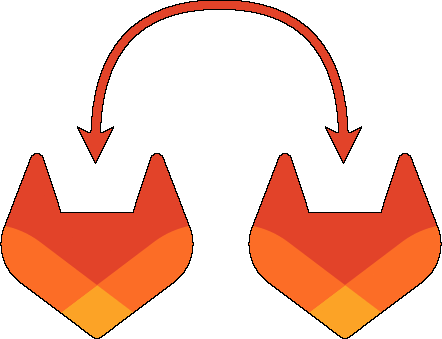
GitLab Sync
CLI tool to synchronize GitLab projects and groups between two GitLab instances for migrations, DR, and multi-instance operations
Project Overview
GitLab Sync (gitlab-sync) is a Go-based CLI tool that synchronizes GitLab groups and projects between two GitLab instances. It is built for automation-first environments (CI/CD pipelines, scheduled jobs, and migration runbooks) where repeatability, idempotency, and clear failure modes matter.
The core goal is to take a declarative mapping of “what should exist in the destination GitLab” and reconcile it against the destination instance. This supports common platform use cases such as instance migrations, disaster recovery, vendor/hosting transitions, and maintaining mirrored environments across multiple GitLab deployments.
What It Does
- Synchronizes projects and groups between a source and destination GitLab instance.
- Recreates repository content in the destination using the most appropriate strategy:
- GitLab Premium: enables Pull Mirroring for projects (requires premium tier).
- GitLab Free: falls back to cloning repository content from the source and pushing it to the destination.
- Copies project metadata (e.g., description, topics, icon) and can optionally mirror issues.
- Can add projects to the CI/CD catalog.
- Supports optional release mirroring and configurable “trigger builds on mirror updates” behavior.
Configuration Model (JSON Mapping)
The tool uses a JSON mapping file as its single source of truth. This makes large-scale migrations and repeatable sync runs practical, because the mapping can be reviewed, versioned, and promoted through environments.
Per project/group, the mapping can specify:
- Destination path/namespace
- Visibility
- Whether to add to CI/CD catalog
- Whether to mirror issues
- Whether to trigger builds
- Whether to mirror releases
This structure makes the tool suitable for both “copy once” migrations and “continuous reconciliation” setups.
Engineering Highlights
- API coverage (REST + GraphQL): Uses the GitLab Go SDK for GitLab API access, including GraphQL support where needed, and maintains compatibility through SDK upgrades.
- Pre-flight compatibility checks: Validates destination capabilities (e.g., version checks for API-based pull mirroring and license-tier checks) and fails fast with actionable errors.
- Scale-aware execution: Supports “big vs small instance” behavior and includes memory-conscious optimizations for large inventories.
- Concurrency tuning: Introduces concurrency controls for improved throughput while preventing API overload or resource exhaustion.
- Robust failure modes:
--dry-runsupport for safe planning and change previews- configurable retry behavior for transient GitLab API failures
- optional log-file output for auditability
- explicit error code management to make CI/CD outcomes deterministic
Delivery and Operations
GitLab Sync is packaged for operational simplicity:
- Runs as a single static CLI binary with no runtime dependencies.
- Available as a Docker image on GitHub Container Registry for containerized CI jobs.
- Built with a contributor-friendly workflow (Makefile-driven tasks, linting, security checks, and formatted test output) to keep maintenance sustainable as the project grows.
Technologies Used
| Icon | Technology | How it was used |
|---|---|---|
 | Go | Core CLI implementation, concurrency primitives, test suite, and maintainable modular architecture |
 | GitLab API | REST/GraphQL integration for inventory, reconciliation, and mirroring configuration |
 | Docker | Container delivery via GHCR for CI/CD and repeatable automation runs |
Project History
Initial release and foundation
Shipped the first working CLI with a documented JSON mapping format and an automation-first design.
Concurrency and containerization
Added concurrency tuning, improved logging, and introduced a release pipeline that publishes binaries and container images.
Resync and release mirroring
Implemented full project/group resync logic and optional release mirroring with test coverage.
GitLab Free compatibility
Added a fallback strategy for non-premium instances by recreating repository content via git operations, plus architecture simplification.
Reliability improvements
Added robust error code management and expanded ownership/permission handling for projects and groups.
SDK major version migration
Migrated to a newer GitLab SDK major version to keep API integrations current.